


Tomplay Sheet Music
4.6353.00 Reviews
App Specs
- Version
- 7.1.3
- Updated On
- License
- Free
- Downloads
- 500,000+
- Developer
- Tombooks SA
- Categories
- Music & Audio
- Platform
- Android, iOS
Screenshots
 Analysis by AppCompare
When I decide whether to use a music app, I care about more than how impressive its library sounds. I want to know what I can do before committing time to it, how much control I have over a practice session, and whether the experience suits the way I actually learn. Tomplay Sheet Music is a music and audio app from Tombooks SA built around playing from digital scores with recorded accompaniment. Its appeal is easy to understand: instead of practicing against a metronome or a bare reference track, you can work through pieces with musical backing. That makes it feel more like a rehearsal, though it is still a practice tool rather than a replacement for a teacher or ensemble.
What the interactive format changes
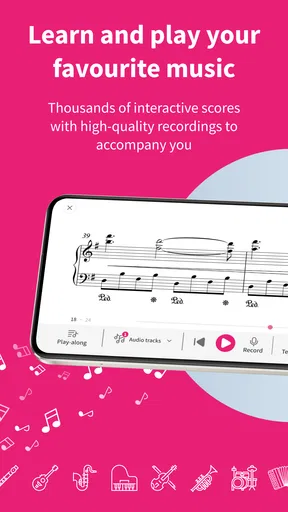
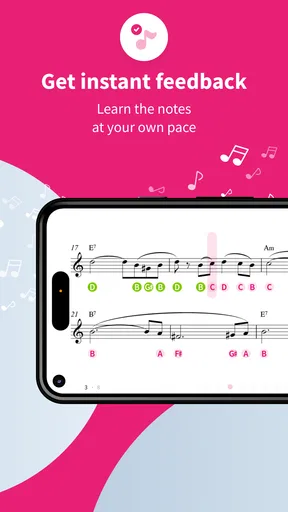
The key difference from ordinary digital sheet music is that the score and accompaniment are meant to work together. In a typical PDF reader, I can zoom in and turn pages, but I have to supply the timing and musical context myself. With Tomplay, synchronized audio gives me another reference: I can hear how a line fits into the larger arrangement while following the notation. That can be especially useful when I know the notes but am unsure how my part sits against the rest of the music.
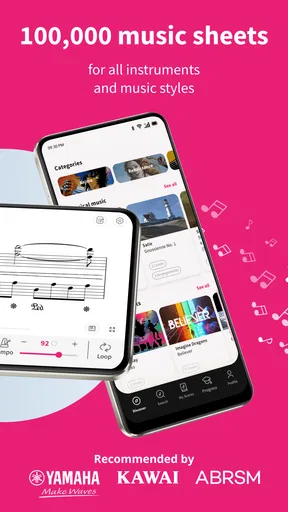
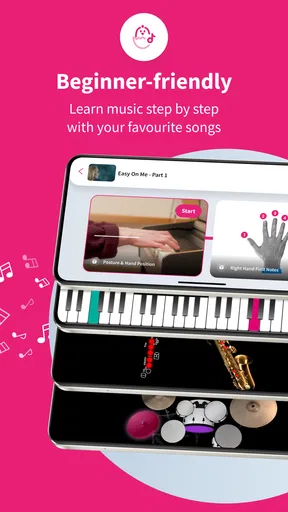
The app is aimed at players of many instruments, including piano, violin, flute, saxophone and drums, rather than only keyboard users. Its library spans different kinds of music, so it can serve someone exploring repertoire as well as someone looking for a more structured way to practice. The trade-off is that breadth can make choosing a piece less straightforward: I would treat the catalogue as something to browse with a goal in mind, not assume that every item will match my instrument, level or preferred style.
What’s the Deal with Tomplay?
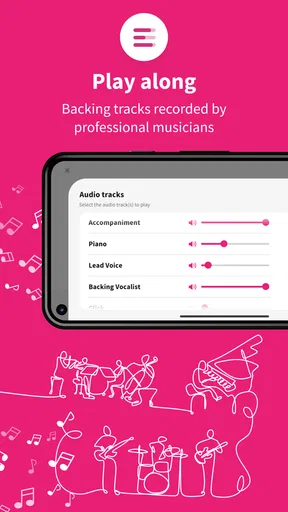
So, Tomplay Sheet Music is this super cool app that brings interactive sheet music to your smartphone or tablet. But it’s not just any sheet music; it’s interactive sheet music. Imagine playing your instrument while being accompanied by professional recordings. That’s right! You can actually play along with real orchestras, bands, or pianists. It’s like performing a duet with a world-class musician, all from the comfort of your home.
What really caught my attention was the variety. Whether you’re into classical, jazz, pop, or rock, Tomplay has got something for everyone. And the best part? The sheet music is available for a wide range of instruments. So, whether you’re a violinist, pianist, or even a saxophonist, there’s something in there for you.
Getting Started with Tomplay
Signing up is a breeze. Just download the app, create an account, and you’re good to go. The interface is super user-friendly, which is a big plus for someone like me who isn’t exactly tech-savvy. Once you’re in, you can browse through the vast library of music and pick something that tickles your fancy.
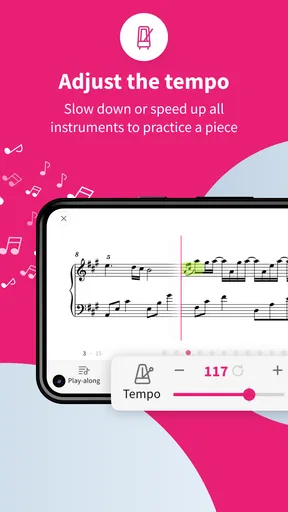
The sheet music comes with synchronized audio tracks, and get this: you can adjust the tempo to suit your practice needs. Need to slow it down to nail that tricky part? No problem. Want to speed it up to challenge yourself? Go for it! The app also lets you loop sections, which is a lifesaver when you’re trying to master a particularly tough spot.
Worth Reading Before You Choose

EA SPORTS FC Mobile 26 Is a Bigger Football Game, but It Takes Time

Flipboard Shows What News Apps Must Do Beyond the Feed

Switching to Android Auto Means Rethinking Your Driving Routine

Google Calendar Makes a Crowded Week Easier to Manage

Ludo King Makes the Most of the Minutes Between Plans

Baby Panda World Brings Quick Play to Modern Phones, but Its Game Library Feels Busy
Features that Hit the Right Note
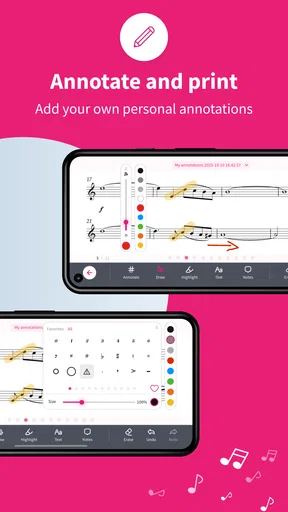
One of the standout features for me is the annotation tool. You can jot down notes directly on the sheet music, which is super handy. I love being able to mark spots where I need to pay extra attention or remind myself of fingerings.
Another nifty feature is the recording function. You can record your practice sessions and listen back to them. This is gold for anyone serious about improving their skills, as it allows you to hear where you’re nailing it and where you might need a bit more work.
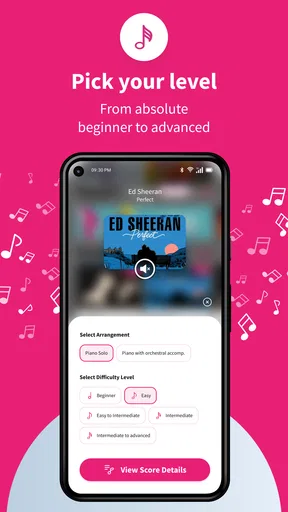
If you’re a beginner, don’t worry. The app offers a range of pieces from easy to advanced, so you can start at your level and work your way up. And for those who love a challenge, there are plenty of complex pieces to sink your teeth into.
Why I’m Hooked on Tomplay
For me, the real magic of Tomplay Sheet Music is in its ability to make practicing fun and engaging. Let’s be honest, practice can sometimes be a bit of a drag. But with Tomplay, it feels more like a jam session than a chore. I find myself looking forward to practice time, and that’s saying something!
The sound quality of the accompaniments is top-notch, which makes a huge difference. It’s inspiring to play along with such high-quality tracks, and it really does feel like you’re part of something bigger.
Making a short practice session count
A useful way to approach an accompaniment app is to choose one small target before opening the score. On a busy evening, I might focus on a single passage, first listening while following the notation, then playing it slowly, and finally trying it at a more natural pace. The tempo adjustment and looping tools make that workflow practical: I do not have to restart an entire piece every time a few bars need attention. I would still finish by playing the passage without the backing occasionally, because keeping time with a recording can disguise whether I can hold the rhythm independently.
For a player preparing for a lesson, the annotation option can turn the score into a simple reminder sheet. I can mark a fingering question, a transition that needs work, or a place to ask the teacher about phrasing. Then, after the lesson, those marks can help me return to the exact issue rather than replaying the whole piece aimlessly. That is a modest feature, but it supports a better practice habit when I use it deliberately instead of covering the page in notes.
Who benefits most, and who may prefer another tool
I see the strongest fit for learners who already read notation and want a fuller sound while practicing alone. It can also suit an adult returning to an instrument who needs a reason to make regular playing feel enjoyable, or an intermediate musician who wants to test a part against accompaniment before rehearsing with other people. The backing can make timing and listening more engaging than practicing in silence, while the score keeps the session tied to the written music.
It is less compelling if I mainly want to learn by ear, improvise freely, or play casually without following notation. In those cases, a recording player, a metronome, or a lesson-focused tool may be a better match. A teacher remains more useful for diagnosing posture, technique and musical decisions; the app can support practice between lessons, but it cannot observe how I hold an instrument or explain why a phrase feels awkward. Beginners should also be comfortable choosing pieces at a manageable level rather than treating a large selection as a promise that every score will be easy to learn.
Compared with printed books, digital scores are convenient to browse and can bring audio into the same practice routine, but paper is still easier for some players to annotate quickly or keep open on a stand without handling a device. Compared with a basic PDF, the synchronized accompaniment and practice controls are the meaningful advantage. Compared with simply playing along to a song recording, the notation gives me a clearer view of my part and the app’s practice tools let me isolate work. The best choice depends on whether I need that combination; if I only need a clean score or a backing track, a simpler option may be enough.
Cost, access and everyday expectations
The app is free to download, with in-app purchases ranging from $0.99 to $189.99 per item. I would think of the free entry point as a chance to see whether the score-and-accompaniment approach suits me, then check the cost attached to anything I want before building a routine around it. The listed purchase range is wide, so it is sensible to decide which pieces matter rather than assuming that every selection is included at no cost. A player who wants only occasional practice material should weigh that carefully against buying individual printed music or using scores already on hand.
It has a 4.7 average from around 13,000 ratings and has passed 500,000 installs, which suggests that many musicians have found the format worth trying. The app is rated for Everyone, and its current version is 6.2.1, with Android 7.0 as the minimum operating system. Those details help set basic expectations, but they do not tell me whether a particular piece or instrument will suit my needs; I would still check the catalogue before planning a lesson or performance around it. The app was released on December 22, 2016, so it is an established product rather than a brand-new experiment.
Trust and control while practicing
For a music app, the most practical trust question is often what choices I can see and manage while using it. The visible controls described here are focused on the musical task: selecting a score, adjusting playback, looping a section, annotating music and recording a session. I would use those tools for practice rather than assume that any one of them replaces a private notebook or a separate recording workflow. When I record, I would be intentional about what I capture and where I want to keep my practice notes, especially if I am using a shared device or preparing material with someone else.
Account creation is part of getting started, so I would take a moment to review the choices shown during setup and any account settings available in the app. That is a sensible habit with any service that asks me to sign in. I would also check the purchase confirmation carefully before buying music, since individual in-app items can vary substantially in price. Those small checks give me more control over both spending and my account without making assumptions about permissions or data practices that I have not personally verified.
Final Thoughts
Whether you’re a seasoned musician or just picking up an instrument, Tomplay Sheet Music offers a fresh, exciting way to practice and improve. The interactive features, coupled with a vast library of music, make it an invaluable tool for anyone looking to elevate their playing. So, if you’re ready to transform your practice sessions into something truly enjoyable, give Tomplay a whirl. Happy playing!
My cautious verdict is that I would try it if I wanted notation and accompaniment to meet in one practice session, especially for learning a part at my own pace. I would not choose it solely because the catalogue sounds broad, or expect an app to replace feedback from a musician who can hear me and respond. The strongest results are likely to come from using its playback tools with a clear goal, checking the cost of pieces I want, and keeping some practice time independent of the backing. If that matches how I learn, it is a thoughtful addition to a music routine; if not, sheet music, a metronome or a teacher may serve me better.
Pros
- Extensive library of sheet music.
- Interactive features enhance learning.
- High-quality audio backing tracks.
- Customizable tempo and looping options.
- Supports multiple instruments.
Cons
- Subscription model can be pricey.
- Offline access is limited.
- Some features require in-app purchases.
- Occasional app performance issues.
- Not all genres are covered.
FAQs for Tomplay Sheet Music
What is Tomplay Sheet Music and what makes it unique?
Tomplay Sheet Music is an interactive application that offers a vast library of sheet music for various instruments and skill levels. Unlike traditional sheet music, Tomplay provides synchronized audio accompaniments, allowing users to play along with high-quality recordings. This feature enhances practice sessions by offering an immersive, real-time musical experience.
Is Tomplay Sheet Music suitable for beginners?
Yes, Tomplay Sheet Music caters to musicians of all skill levels, including beginners. The app offers a wide range of difficulty settings and learning tools, such as tempo adjustments and looping sections, to help novices gradually improve their skills. Additionally, the app includes detailed sheet music that is easy to follow.
What devices are compatible with Tomplay Sheet Music?
Tomplay Sheet Music is compatible with both Android and iOS devices, making it accessible to a wide range of users. The app can be downloaded from the Google Play Store for Android devices and the Apple App Store for iOS devices. Ensure your device meets the minimum system requirements for optimal performance.
Does Tomplay Sheet Music require an internet connection?
While Tomplay Sheet Music requires an internet connection for downloading new scores and updates, you can access your library of downloaded sheet music offline. This feature allows you to practice anywhere, anytime, without needing a constant internet connection, making it convenient for on-the-go musicians.
Are there any subscription fees associated with Tomplay Sheet Music?
Tomplay Sheet Music operates on a subscription model. Users can choose from various subscription plans, including monthly and annual options, to access the full range of features and sheet music. A free trial is often available, allowing potential subscribers to explore the app's offerings before committing to a payment plan.


